1
UpvoteHow do I check pending transactions on MyVanilla?
Reply

Sydney Garth
You can check pending transactions on MyVanilla by logging in to your online account, or using the MyVanilla app.
 WalletHub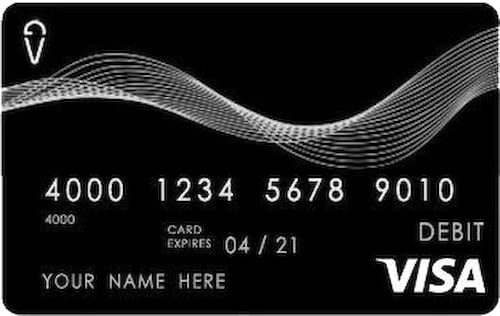
Info about the MyVanilla Prepaid Card has been collected by WalletHub to help consumers better compare cards. The financial institution did not provide the details.
TermsReviewsFAQContactActivation Fee
Monthly Fee
Signature Transaction Fee
Pin Transaction Fee
In Network ATM Transaction Fee
ATM Network Size : 37000 ATMs
Out of Network ATM Transaction Fee
Foreign ATM Transaction Fee
You can either get a MyVanilla Prepaid Visa or MyVanilla Prepaid MasterCard.
Each Vanilla Direct Retailer may charge a transaction fee of up to $3.95 in addition to the amount being loaded – see the Vanilla Direct Retailer for additional details.
Free Direct Deposit. Automatically load your payroll, government benefits or tax return onto your MyVanilla Card. No check-cashing fees or long lines on payday.
Add your MyVanilla Card to the mobile wallet app on your phone, and pay for all purchases with your smartphone, tablet or smartwatch.
The bank charges $1.95 per In-network ATM withdrawal. There is no additional fee charged by ATM owners for withdrawals made at participating MoneyPass® ATMs.
| live customer support | Free |
| automated customer support | Free |
| reload options | Direct Deposit, Cash Reload, Bank Transfer, Check Reload |
| cancellation fee | $9.95 |
| inactivity fee | $3.95 per month if card is inactive for 90 days |
Can't find what you are looking for? Submit your question about MyVanilla Prepaid Card to our community. Editorial and user-generated content is not provided, reviewed or endorsed by the issuer of this offer. Please keep in mind that it is not a financial institution’s responsibility to ensure all posts and questions are answered.
You can check pending transactions on MyVanilla by logging in to your online account, or using the MyVanilla app.
You can dispute a MyVanilla transaction by signing in to your online account and filling out and sumbitting a transaction dispute form. The form can be found at the bottom of the Card Activity or Card Statements page.
Your MyVanilla card should be activated in one hour after you complete the process. You can activate the card online, by signing in to your account and following the instructions.
You can find the MyVanilla routing number and account number by signing in to your account and downloading the direct deposit form.
The account and routing number for MyVanilla card can be found on the direct deposit form that came with your card. You can also get them by logging in to your account online.
Yes! You just need to complete the direct deposit form that came with the card and provide it to your benefits provider. If you no longer have that form you can get it by logging into your online account. You can also call customer service at 855-686-9513 for more details or visit the following link: https://www.myvanillacard.com/faq.html.
You can reload a MyVanilla Prepaid Card at several locations, including Walmart, Dollar General, Walgreens, and Family Dollar, among others.
Keep in mind that each Vanilla Reload Network Retailer may charge a transaction fee of up to $3.95 in addition to the amount being loaded. For the most up-to-date information, visit MyVanilla's website or contact their customer service at (855) 686-9513.
You can check the best prepaid debit cards available to ensure that whatever decision you make really fits...
To block your MyVanilla Prepaid Card call customer service at (855) 686-9513 and inform the representative that you wish to block your card due to loss, theft, or suspected unauthorized activity.
The customer service team may require you to submit documentation or complete a verification process. Be prepared to provide your card number and other verification details to confirm your identity.
Once your request is processed, any remaining balance may be refunded or transferred according to...
To check your gift card balance online, the process depends on the specific gift card you have, as each issuer has its own method.
For added convenience, some gift cards allow balance checks without creating an account, while others may require registration first. If you're using a retailer-specific card, the process is similar, but you'll need to visit that retailer's official site. Always ensure you're on a legitimate website to protect your card information.
You can check the best prepaid debit cards available to ensure that whatever decision you go for really fits your goals.
To check your Visa debit card balance, you have several options including online banking, mobile banking, at an ATM, by phone, or in-person at a branch:
These methods apply primarily to Visa debit cards linked to a bank account. Always use the official channels listed on your card to ensure security and accuracy.
You can check the best checking accounts available to ensure that whatever decision you go for really fits your goals.
Share your insights and review for the MyVanilla Prepaid Card
+ 17 WalletHub users submitted a rating without writing a full review
Ad Disclosure: Certain offers that appear on this site originate from paying advertisers. For full transparency, here is a list of our current advertisers.
Advertisers compensate WalletHub when you click on a link, or your application is approved, or your account is opened. Advertising impacts how and where offers appear on this site (including, for example, the order in which they appear and their prevalence). At WalletHub we try to present a wide array of offers, but our offers do not represent all financial services companies or products.
Advertising enables WalletHub to provide you proprietary tools, services, and content at no charge. Advertising does not impact WalletHub's editorial content including our best picks, reviews, ratings and opinions. Those are completely independent and not provided, commissioned, or endorsed by any company, as our editors follow a strict editorial policy.
WalletHub is not a financial advisor. Our goal is to provide you with top-notch content, data, and tools. You are responsible for deciding what financial products and providers are best for your needs.
Irrespective of whether an institution or professional is a paid advertiser, the presence of information on WalletHub does not constitute a referral or endorsement of the institution or professional by us or vice versa.
We work hard to show you up-to-date product terms, however, this information does not originate from us and thus, we do not guarantee its accuracy. Actual terms may vary. Before submitting an application, always verify all terms and conditions with the offering institution. Please let us know if you notice any differences.
Offer last updated: Feb 4th, 2026 at 07:18 ET
Your web browser (Internet Explorer) is out of date and no longer supported.
Please download one of these up-to-date, free and excellent browsers: