
Chip Lupo, Credit Card Writer
@CLoop
To get a Citibank virtual credit card number, log in to a Citibank account and sign up for Citi Virtual Accounts Numbers. Once Citibank generates a virtual card number, you will be able to make online purchases with increased protection against credit card fraud. Citibank will generate a different card number each time you request one. Keep in mind that the Virtual Account Numbers benefit is only available for select Citi cards.
How to Get a Citibank Virtual Credit Card
- Log in to your Citi account through the virtual account numbers page.
- Click "Enroll In / Get."
- Download the Citibank browser extension or launch the web-based version of the virtual card number program. Follow the prompts to create a virtual card number.
- Accept the 16-digit virtual card number that’s generated for you. Take note of the virtual card’s expiration date and security code as well.
- Make purchases with your Citibank virtual credit card at eligible online retailers. Citi Virtual Accounts Numbers works with nearly all online merchants.
The Citibank virtual credit card information is tied to your credit card but is not the same as your actual card number. This way, any hackers who get ahold of the merchant’s records won’t be able to see your real card information. In other words, virtual credit card numbers help prevent fraud by adding an extra layer of protection to your credit card purchases.
However, not all cards issued by Citibank have access to Citi Virtual Accounts Numbers, so you should read through your card’s guide to benefits to see whether it qualifies.
Virtual Card Alternatives
If your card isn’t eligible for a virtual card number through Citibank, you can also consider using Click to Pay which works with credit cards on all four major card networks. Once you enroll a card in Click to Pay, you can use it for online checkout with any merchant that displays the Click to Pay logo, which looks like a square with a double arrow pointing to the right.
Click to Pay offers extra security by automatically generating virtual card numbers and pairing them with a "cryptogram" that's different for each transaction you make. That way, even if your virtual card information gets reused by a hacker, the cryptogram won't match and the transaction will be declined. However, it doesn’t give you this information to use on your own anywhere you want – it’s just a built-in process. Similarly, you may be able to create digital card numbers or hide your full information from merchants using digital wallets like Google Pay, Apple Pay, or Samsung Pay.

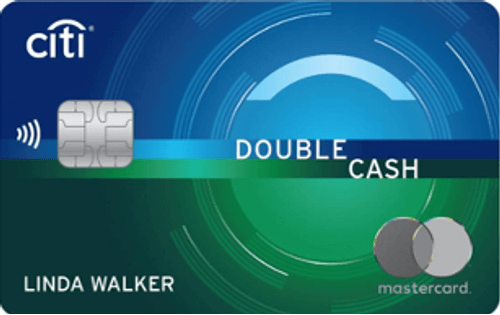
Popular Credit Cards from Citi, Our Partner
-
Initial Bonus
-
Cash Back
-
0% Intro Rates


People also ask
Did we answer your question?
Important Disclosures
Ad Disclosure: Certain offers that appear on this site originate from paying advertisers. For full transparency, here is a list of our current advertisers.
Advertisers compensate WalletHub when you click on a link, or your application is approved, or your account is opened. Advertising impacts how and where offers appear on this site (including, for example, the order in which they appear and their prevalence). At WalletHub we try to present a wide array of offers, but our offers do not represent all financial services companies or products.
Advertising enables WalletHub to provide you proprietary tools, services, and content at no charge. Advertising does not impact WalletHub's editorial content including our best picks, reviews, ratings and opinions. Those are completely independent and not provided, commissioned, or endorsed by any company, as our editors follow a strict editorial policy.